
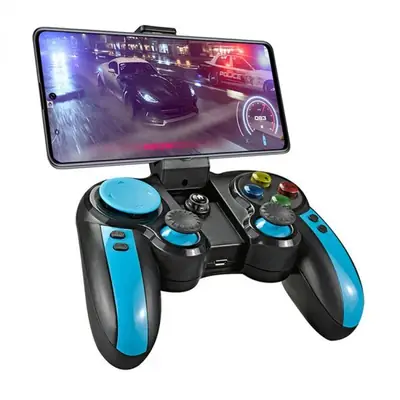
What to buy
You do not need anything exotic. 8BitDo pads are the retro community favorite (the SN30 line feels like the real thing), Xbox controllers pair flawlessly with Android, and PlayStation pads work too. Telescopic phone-mount controllers turn the phone into a single handheld unit. Any of these beat touch controls for action games.
Pairing in 30 seconds
Put the controller in pairing mode, open Android Bluetooth settings, tap the controller name. Then open the Delta Emulator app: it should detect the pad immediately. If buttons feel wrong, that is normal: mapping comes next.
Mapping that feels right
Open the emulator's control settings and map face buttons to match the original console layout, not the Xbox layout. Put Start and Select where your thumbs expect them, and map save-state quick keys to the shoulder buttons: quick-save on L, quick-load on R. Test in a real game, not the menu; menu navigation lies about how mapping feels.
Latency notes
Bluetooth adds a few milliseconds. Most players never notice, but for rhythm games it matters: use a wired USB-C connection or the phone's own controls for those. The lag guide covers the rest of the performance picture, and these settings were tested on the current 51 MB build.